

5. PostgreSQL - BETWEEN, IN, LIKE and NULL
In the previous part, we learned how to use the WHERE clause to filter our data.
We used simple conditions with comparison operators and learned how to combine multiple conditions using AND and OR. But WHERE can do much more.
Instead of writing several conditions manually,
PostgreSQL gives us some very useful operators that make filtering easier and more readable. In this part, we will learn how to use:
- BETWEEN
- IN
- LIKE
- IS NULL
- IS NOT NULL
Let's start with BETWEEN.
BETWEEN
BETWEEN is used when we want to find the values in the specific range.
For example, let's say we want to find users who are between 25 and 35 years old.
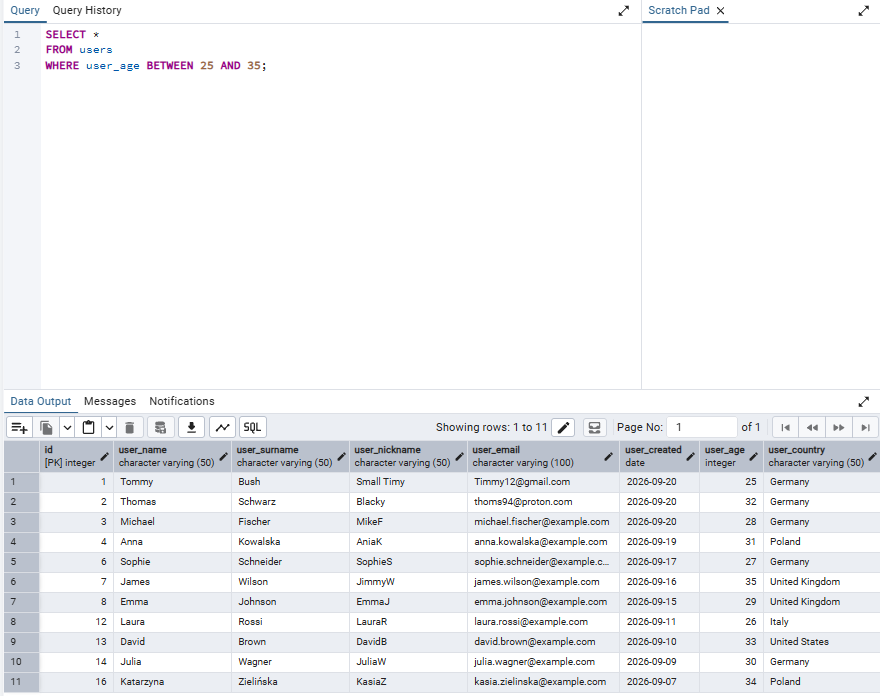
BETWEEN includes both boundary values.
it means: 25 <= user_age <= 35
Let's take a look:
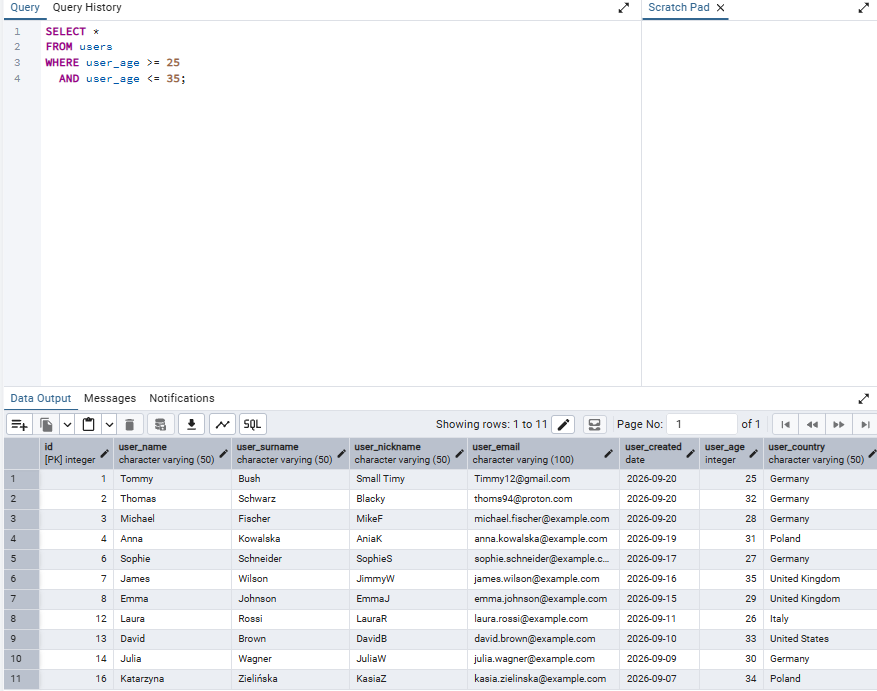
Both queries give us the same result, but in my opinion, the second one is more readable and looks cleaner.
IN
Sometimes we want to check if a value matches one of several possible values.
For example, let's say we want to find users from Germany, Poland or Spain.
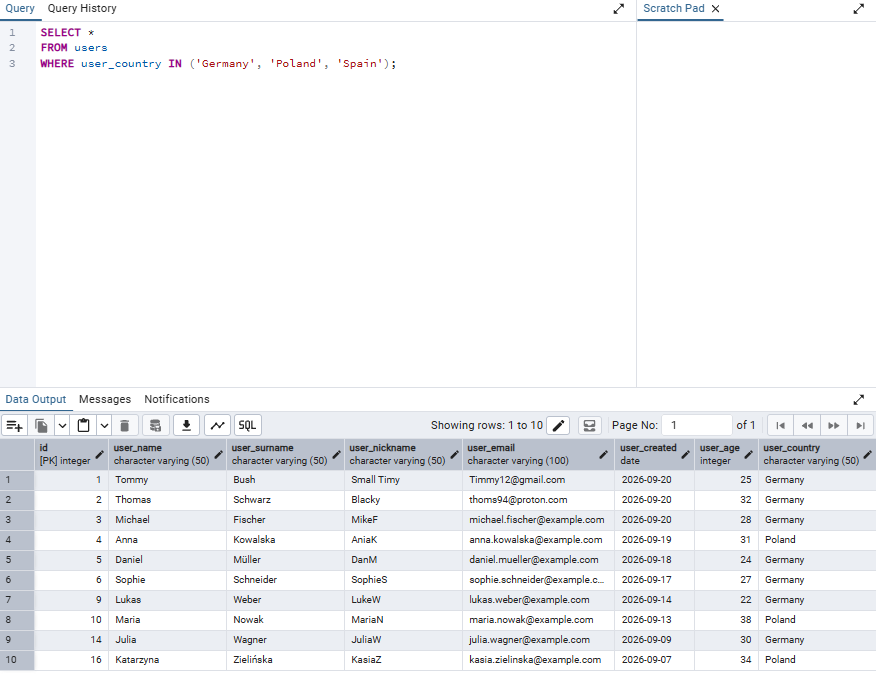
Instead of writing:
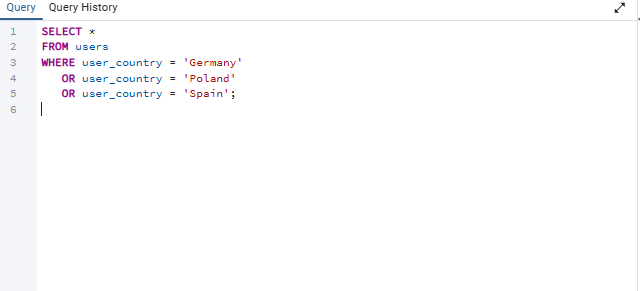
We can simply use IN. It gives us the same result and is definitely cleaner.
LIKE & ILIKE
LIKE is useful when we don't know the exact text we are looking for.
For example, imagine that we want to find usernames starting with the letter M.
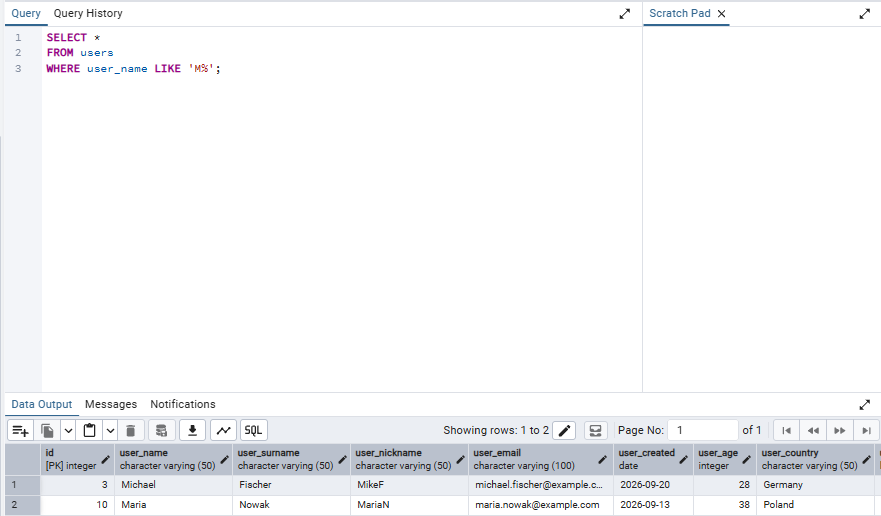
The % character means that any number of characters can appear after M.
Ends with
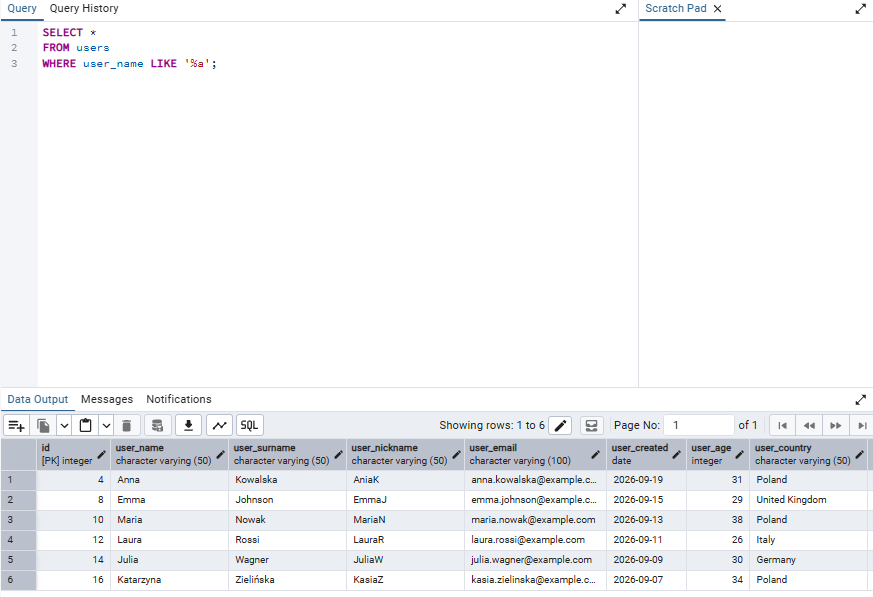
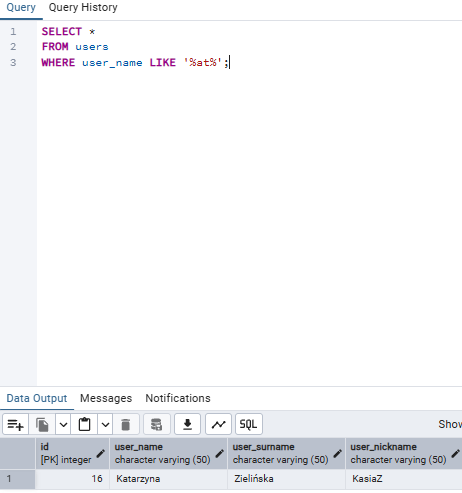
Contains
We can search for a pattern anywhere inside the text.
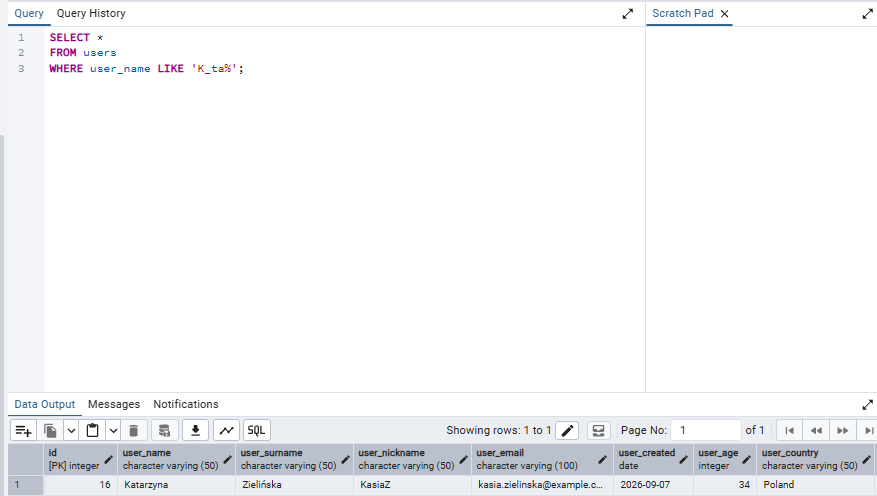
Exact position with _
LIKE also supports _
The underscore represents exactly one character.
ILIKE
PostgreSQL also provides ILIKE.
The important difference is that ILIKE is case-insensitive.
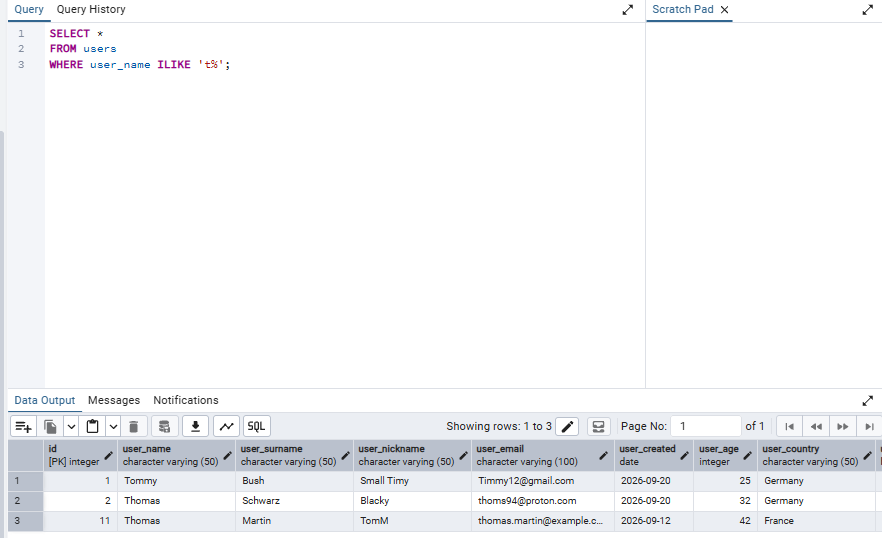
For example, let's take a look at LIKE first, and then compare it with ILIKE to see the difference.
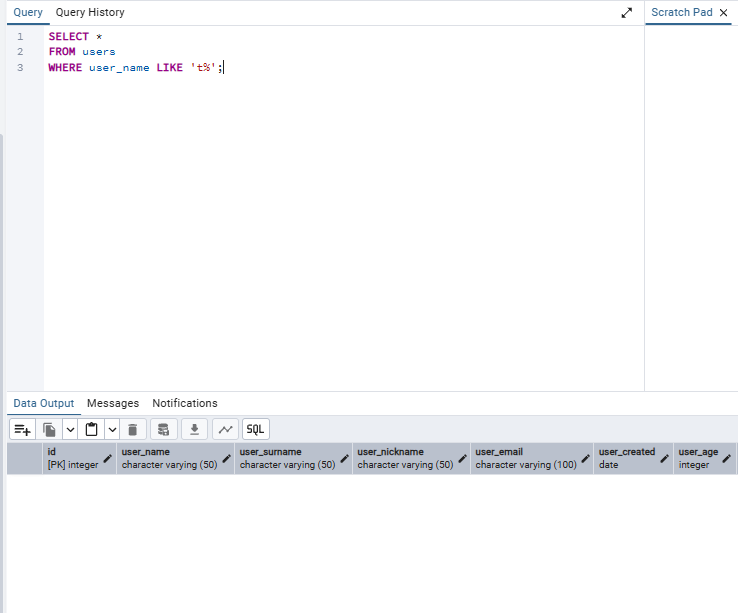
With LIKE , lowercase and uppercase characters are treated differently.
So t% does not match Tommy ust because it starts with an uppercase T.
WITH ILIKE: