


PostgreSQL: Filtering Data with WHERE
In the previous session, we added two records to our users table and learned how to use INSERT INTO and SELECT to add and read data.
For this topic, I added 15 additional records to our database so we have a little more data to work with.
Having more records makes it much easier to understand why filtering is so important.
Imagine that our table contains thousands or even millions of users. We obviously don't want to display every single record every time we want to find something specific.
This is where the WHERE clause comes in.
So, what exactly is WHERE?
The WHERE clause is used to filter records in a database.
It allows us to tell PostgreSQL exactly which rows we are interested in.
Instead of saying:
"Show me everything from the
userstable."
we can say:
"Show me only users from Germany."
or:
"Show me users who are older than 30."
or even:
"Show me users from Germany who are older than 30."
This makes WHERE one of the most important tools when working with data.
It helps us search through our table and return only the records that match our conditions.
And the best part is that the idea behind it is actually quite simple.
We just need to tell PostgreSQL:
What data do we want?
From which table?
And what condition should the records meet?
The basic structure looks like this:
SELECT column_name
FROM table_name
WHERE condition;
So let's see how it works in practice.
As u can see we already have some data in our users table, so let's start filtering it:
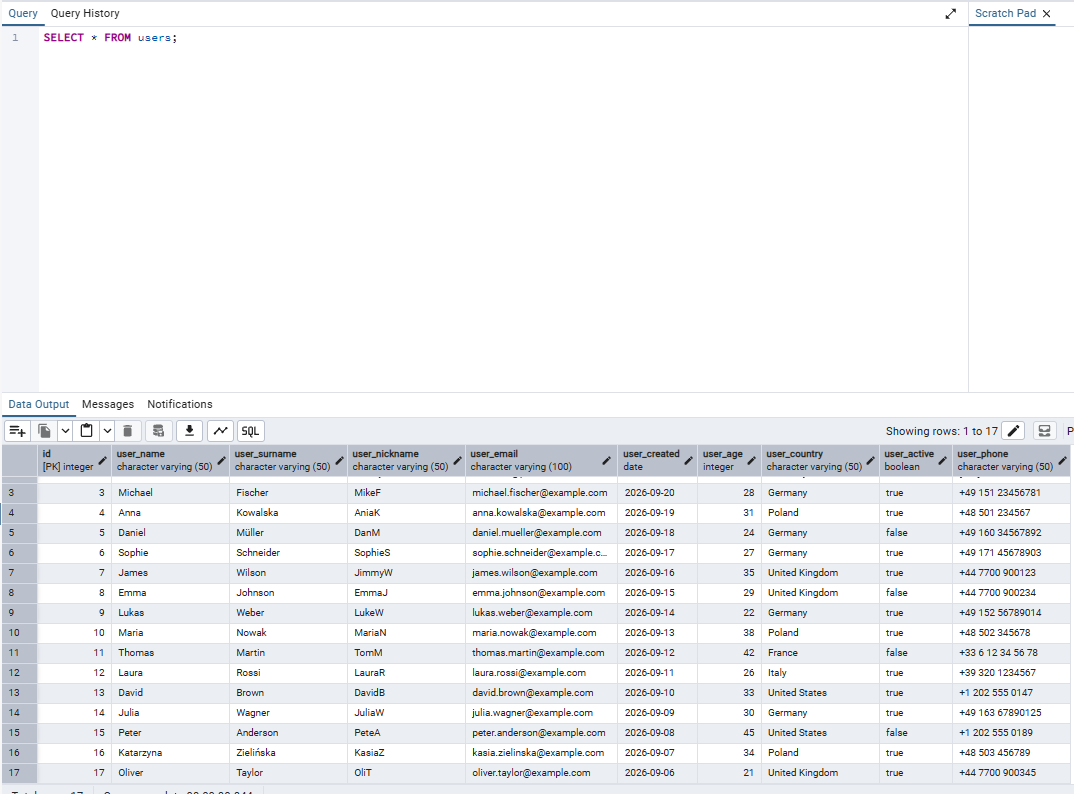
Let's say we want to find only the users who are from Germany.
And this is exactly where our magic WHERE comes in.
Take a look at this:
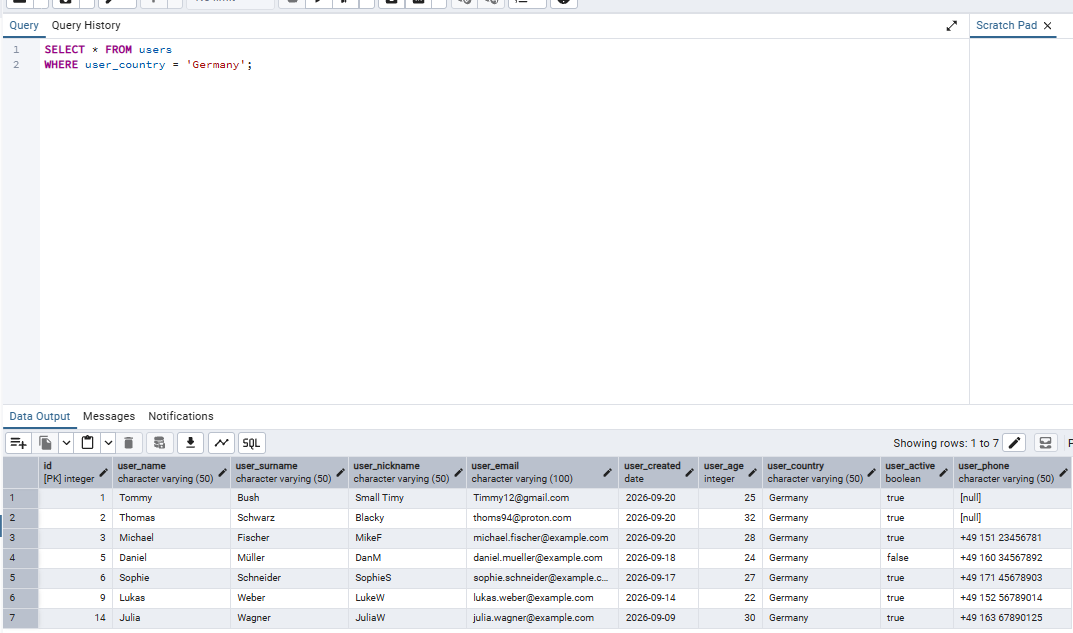
Pretty simple, right?
Let's do another example.
Let's say we need to find only users who come from Germany AND are older than 25 years old:
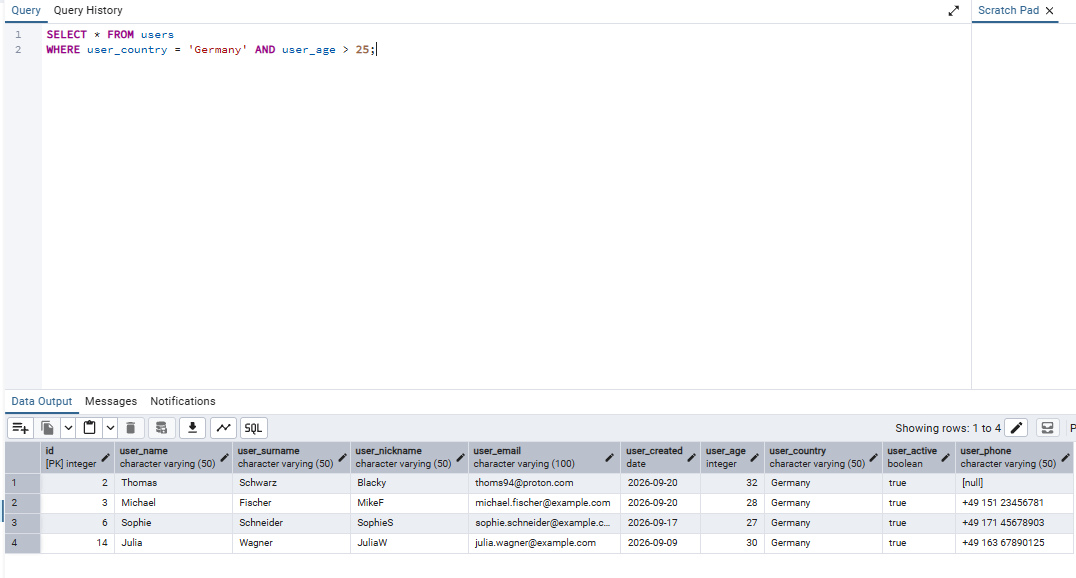
Good job!
But we can make our queries even more specific.
Until now, we used WHERE together with one or two conditions and returned all columns using SELECT *.
But what if we don't want to see all the information about the user?
For example, let's say we only want to see the username and age of users from Germany who are older than 25.
We can simply specify the columns we want after SELECT:
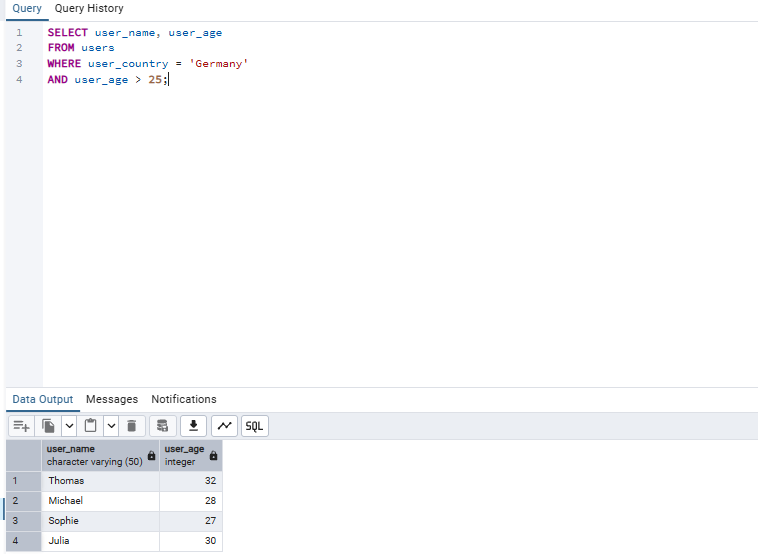
As you can see, we are still using the same WHERE conditions.
The only thing we changed is what PostgreSQL should return to us.
Instead of:
SELECT *
we now use:
SELECT user_name, user_age
This can be very useful when working with larger tables because we don't always need to retrieve every column.
We can also use OR when we want one condition or another condition to be true.
For example, let's say we want to find users who are from Germany OR Poland:
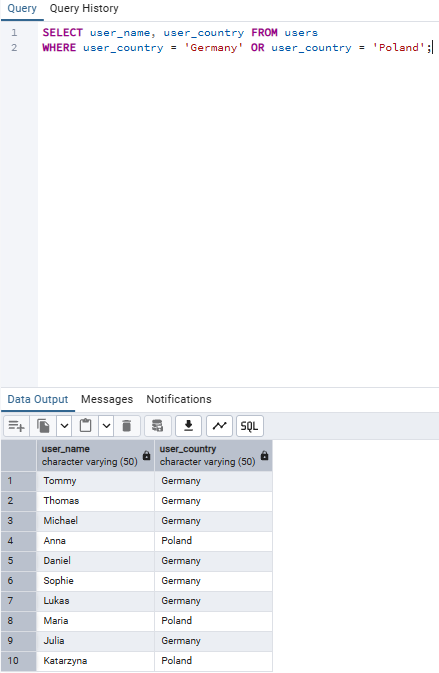
Pretty easy right?
So far, we have learned how to use WHERE to filter our data and how to combine different conditions using AND and OR.
But there are still a few very useful ways to filter data that we haven't covered yet.
In the next section, we will take a look at:
BETWEEN— finding values within a specific rangeIN— checking if a value matches one of several optionsLIKE— searching for specific text patternsIS NULL— finding records where a value is missingIS NOT NULL— finding records where a value is present
There is still a lot more we can do with WHERE, so let's continue in the next part.