


Introduction
Hello everyone!
In this blog post, I want to share my first experiences learning PostgreSQL. As someone interested in Linux, databases, and backend development, I decided to start learning one of the most popular relational database management systems used by developers and companies around the world.
This is not an expert guide. Instead, it is a summary of what I have learned so far and the commands I practiced during my first days with PostgreSQL.
What is PostgreSQL?
PostgreSQL is an open-source relational database management system (RDBMS).
It is used to store, organize, and manage data efficiently. Many modern web applications, enterprise systems, and cloud services rely on PostgreSQL because it is reliable, powerful, and highly scalable.
Some popular features include:
- Open source and free to use
- SQL standard compliant
- Strong data integrity
- Advanced indexing
- High performance
- Support for large datasets
Installing PostgreSQL
Before we start working with PostgreSQL, we need to install it.
There are two common ways to use PostgreSQL:
Option 1 – PostgreSQL on Linux
If you are using Linux, PostgreSQL can be installed directly from the terminal using your distribution's package manager.
For Debian and Ubuntu:
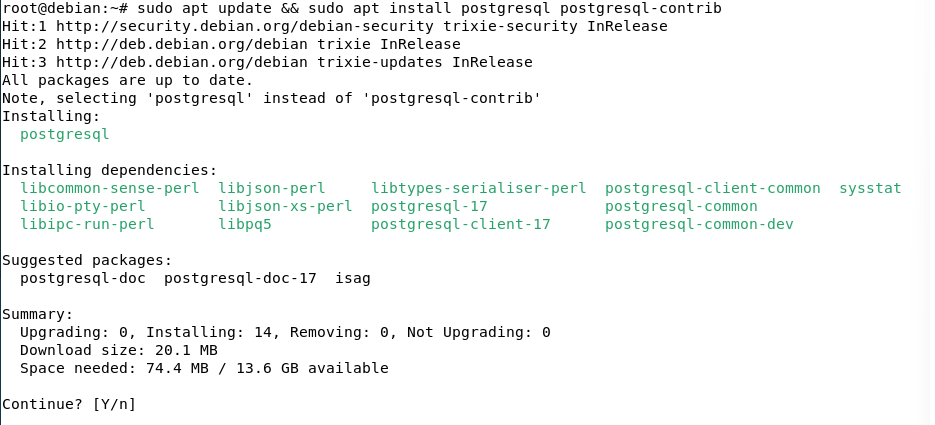
Go to the root account and then:
sudo apt update
sudo apt install postgresql postgresql-contrib
This method is very popular among Linux administrators, DevOps engineers, and backend developers.
After installation, the PostgreSQL service starts automatically.
Let's see if it works:
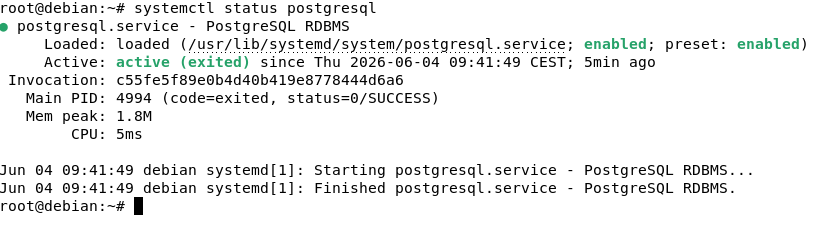
Yes it is! its active! Well done!
Option 2 – PostgreSQL + pgAdmin on Windows
If you are using Windows, the easiest way to get started is by downloading PostgreSQL together with pgAdmin.
pgAdmin is a graphical user interface (GUI) that allows you to manage databases without using the terminal.
With pgAdmin you can:
- Create databases
- Create tables
- Run SQL queries
- View data visually
- Manage users and permissions
It is a beginner-friendly way to learn PostgreSQL before working with command-line tools.
Which option am I using?
For my learning journey, I decided to install PostgreSQL on a Debian virtual machine and practice using terminal commands. This helps me become more comfortable with Linux environments and database administration. Maybe on next blog i will show you guys how it works on PgAdmin!
Connecting to PostgreSQL
Switch to the PostgreSQL system user:
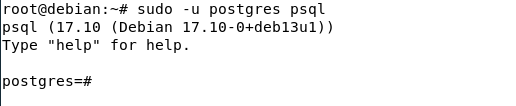
sudo executes a command as another user, -u postgres specifies the PostgreSQL system account, and psql starts the PostgreSQL interactive terminal.
If you see postgres=#, congratulations! You are now inside PostgreSQL and ready to run SQL commands.
postgres=#
This is a good sign — it means you have successfully connected to PostgreSQL and can start executing SQL commands.
Checking the version of PostgreSQL
If you still don't believe that you are connected to PostgreSQL, you can verify it with the following command:
SELECT version();This command displays the current PostgreSQL version running on the system.

Press q on your keyboard to exit the output screen and return to PostgreSQL.
You should see:
postgres=#This means you are back at the PostgreSQL prompt and ready for the next command.
Useful PostgreSQL Commands
PostgreSQL has many built-in commands that start with a backslash (\).
List all databases:
\l
Connect to a database:
\c database_name
List all tables in the current database:
\dt
Display help for PostgreSQL commands:
\?
Exit PostgreSQL:
\q
Let's create our first data base!
Enough talking, let's dive in!
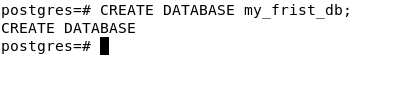
After running the command, PostgreSQL should return:
CREATE DATABASE
This is a confirmation message that your database was created successfully.
If you see an ERROR message instead, don't worry. PostgreSQL will tell you what went wrong.
Let's see if I was telling the truth!
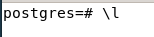
Here it is! Well done!

SUMARRY
In this article, I share my first steps with PostgreSQL. I explain what PostgreSQL is, how it can be installed on both Linux and Windows, and some of the basic commands I learned while exploring relational databases. The goal of this post is to document my learning journey and build a solid foundation in database management.